
For parents
Everything grown-ups should know
How Colorkeet adapts to your child’s age, which things sit behind the parental gate, and what you get with Colorkeet Plus.

Set up by age
The first time Colorkeet opens, a grown-up picks the child’s age. It changes the whole app: the look, the tools and the drawings.
Three age bands
Ages 3–5, 6–12 and 13+ each get their own look, tools and gallery, from a handful of big shapes for the youngest to intricate fine-line art for teens.
The age stays on the iPad. You can change it, or switch between Kids and Teens mode, at any time in the parent area. Artwork already in My Art stays.


| Age | Look | Drawings | Tools |
|---|---|---|---|
| 3–5 | Sunny Meadow | A handful of big shapes, extra-thick lines | 6 tools, 10 colors |
| 6–12 | Candy Sky | Cute characters with more detail | 9 tools, 14 colors, glitter, patterns |
| 13+ | Neon Night | Intricate fine-line art | 8 finer tools, sliders, gradients, color wheel |
Three looks that grow with your child
Each age band is a complete design of its own. Teen mode changes every screen, sound and word, with nothing childish carried over.
-

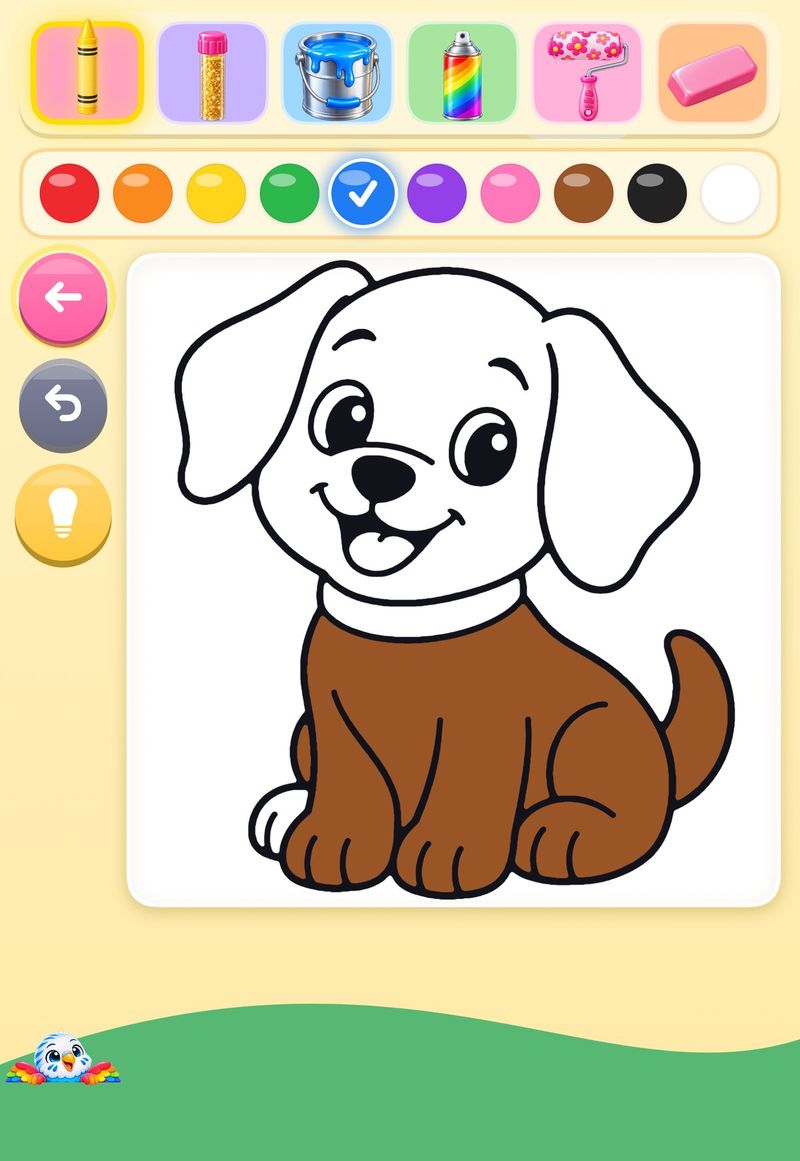
Ages 3–5
Sunny Meadow
No text at all: icons, pictures and a voice that names each tool and color. Buttons are at least 72 points, and leaving the canvas needs a short press-and-hold, so little fingers don’t exit by accident.
-

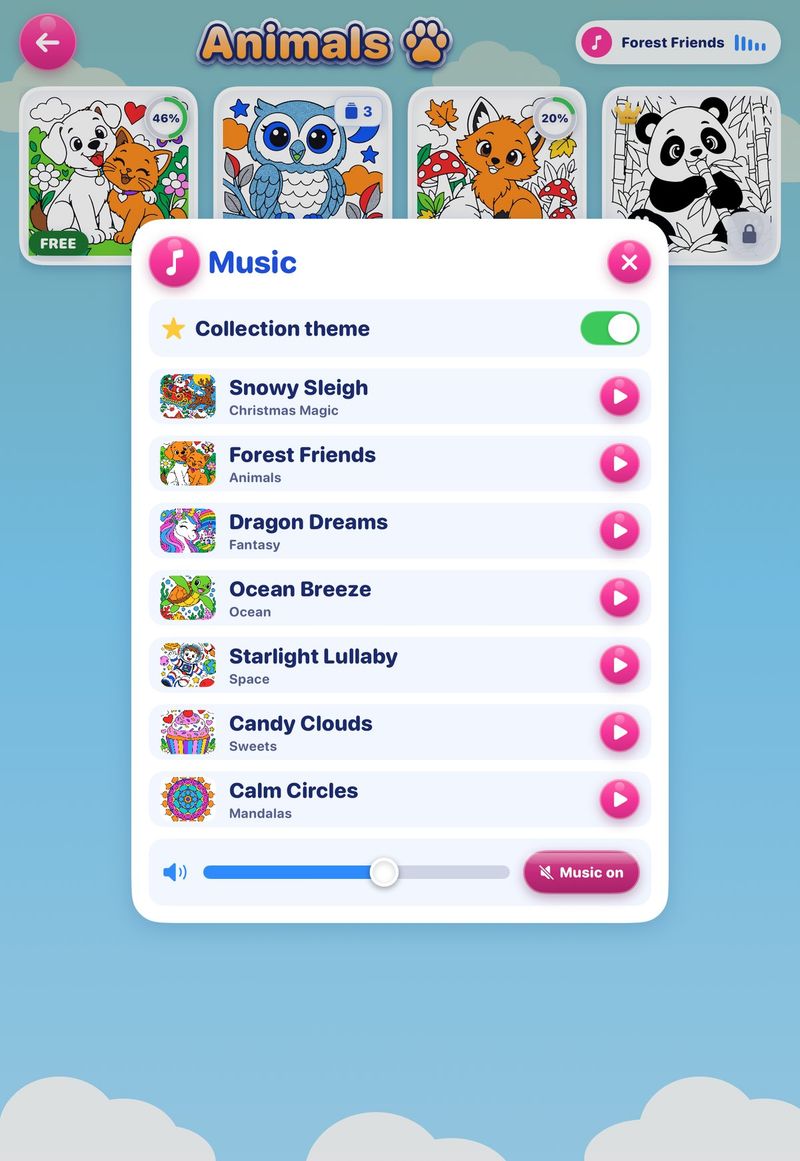
Ages 6–12
Candy Sky
Short labels, glossy candy buttons and a theme song for every collection, from Forest Friends to Calm Circles. Music has its own volume and can be turned off.
-

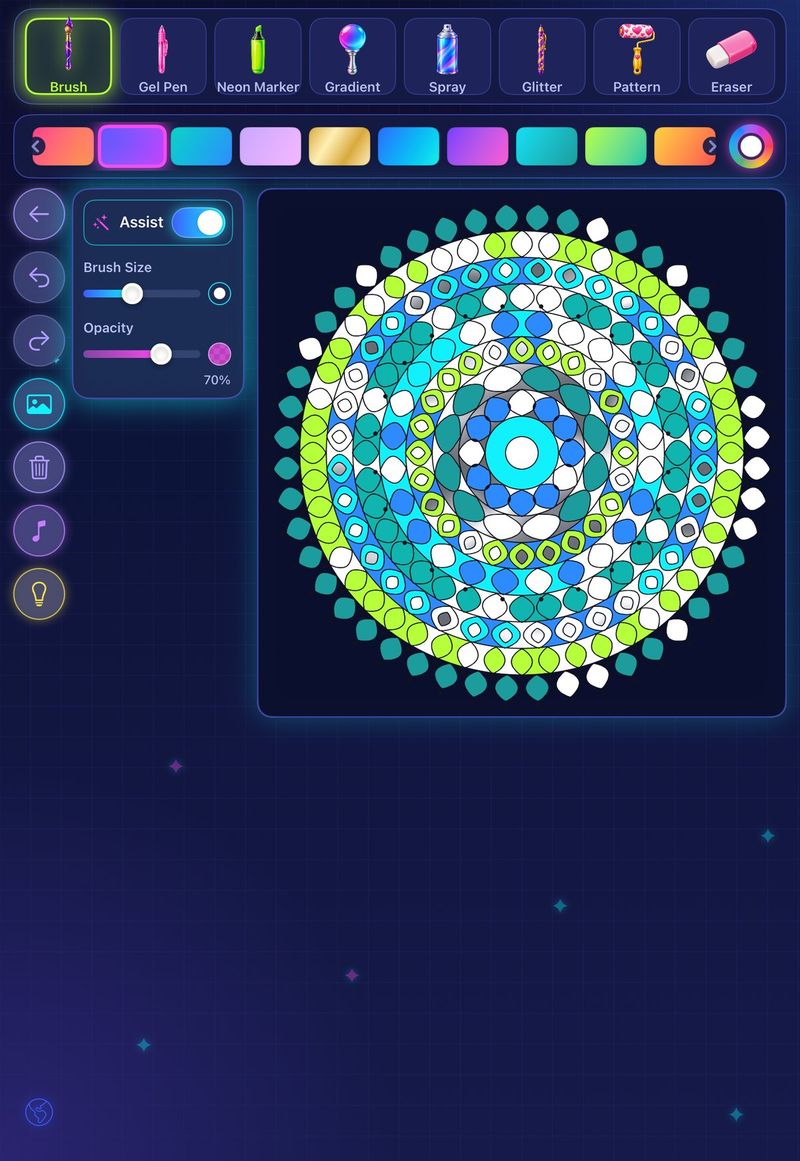
Ages 13+
Neon Night
Made for teens, never babyish: finer tools, brush size and opacity sliders, gradients and metallics, lo-fi music, and an Assist toggle teens can switch off.


Coloring assist and the canvas
Neat results, every time
Coloring assist locks color to the region your child touches first, until the finger or Apple Pencil lifts. It’s always on for ages 3–12. Teens can turn it off with the Assist toggle on the canvas.
Left or right hand
All canvas buttons sit in one column on one side. Set the hand in the parent area: buttons go on the left for right-handed children and on the right for left-handed children.
The Idea button
The light-bulb button shows the drawing already colored, for inspiration. It’s on by default; you can hide it in the parent area.


The parental gate
Anything a child shouldn’t do alone asks a grown-up question first.
What it protects
- Subscribing to Colorkeet Plus
- The parent area (settings)
- Sharing and printing
- Deleting artwork
- Any link that leaves the app, including links to this website
When the gate opens, a friendly voice asks the child to get a grown-up, and the same words appear on screen. The grown-up answers a multiplication question written in words on a keypad. A wrong answer shows a new question, and Cancel takes the child back to where they were.
The gate is designed to stop young children from reaching these areas by accident. It isn’t a password, so for extra protection use Ask to Buy and Screen Time on your child’s iPad.

Colorkeet Plus
Colorkeet is free to download. Plus unlocks every drawing, with a 7-day free trial.
| What you get | Free | Colorkeet Plus |
|---|---|---|
| Drawings | 3 in every collection (54 at launch), included in the app | Every drawing in every collection (216 at launch) |
| New drawings | New free ones | All, as soon as they’re published |
| Colored versions of a drawing | 1 | Unlimited |
| Printing | — | Coloring pages and colored artwork |
| Tools, colors, materials and music | All | All |
| Ads | None | None |
| Price | Free | Free for 7 days, then $4.99 a month |
How buying works
A child who taps a locked drawing sees a friendly screen with one button: Ask a grown-up. After the parental gate, you see the plan details and the price, and Start free trial opens Apple’s purchase sheet. With Family Sharing, Ask to Buy applies.
The free trial
Plus is free for 7 days, then $4.99 a month (the App Store shows your local price). It renews automatically until you cancel in your App Store settings, at least 24 hours before the trial or month ends.
If you don’t subscribe by the end of the trial, the Plus drawings downloaded during the trial are removed from the iPad. Anything your child colored on them stays in My Art as a picture to view and share.

New collection alerts
Only if you want them
Alerts are off until a parent turns them on in the parent area. Your child never sees the iPad’s permission prompt.
- Only for new collections: never sales, offers or other marketing
- About once a month, and never more than once a week
- Matched to your child’s age band
- Quiet hours, 7 pm to 9 am by default, which you can change
- No badge on the app icon
Turning alerts off deletes your iPad’s registration from our server.


Privacy in plain words
-
Nothing personal
No accounts and no personal data. We never ask for a name, email address, photo or location.
-
Artwork stays yours
Pictures stay on the iPad and in your family’s private iCloud, which we can’t access.
-
An anonymous install ID
To download drawings, the app uses a random install ID that isn’t linked to you.
-
Age stays on the iPad
Only the age band ever leaves the iPad, and only with alerts you turned on.
Accessibility
- VoiceOver: every tool, color, pattern and drawing has a spoken name.
- Color names: a long press on a color shows its name, which helps color-blind children.
- Reduce Motion: turns off shimmer and confetti animations.
- No reading needed: at ages 3–5, every action is an icon, a picture or a color, with voice instead of text.
- Sound: music and sound effects have separate volumes, and haptics can be turned off. Apple Pencil Pro adds a gentle vibration when picking a tool or color.